
If you have ever made a collar that flopped sadly, a button placket that wrinkled, or a tote bag that couldn’t decide if it wanted to stand up or collapse, you have already met the problem interfacing solves. Fusible interfacing is the quiet helper that gives fabric a little backbone. And once you learn how to apply it correctly, it feels like cheating in the best way.
In this guide, I’ll walk you through choosing the right fusible interfacing, prepping it, and fusing it smoothly so your collars, facings, waistbands, and bags keep their shape. No confusing jargon, and yes, we will talk about what to do when it bubbles. Because it will happen at least once, and you are still a real sewist when it does.
What fusible interfacing is
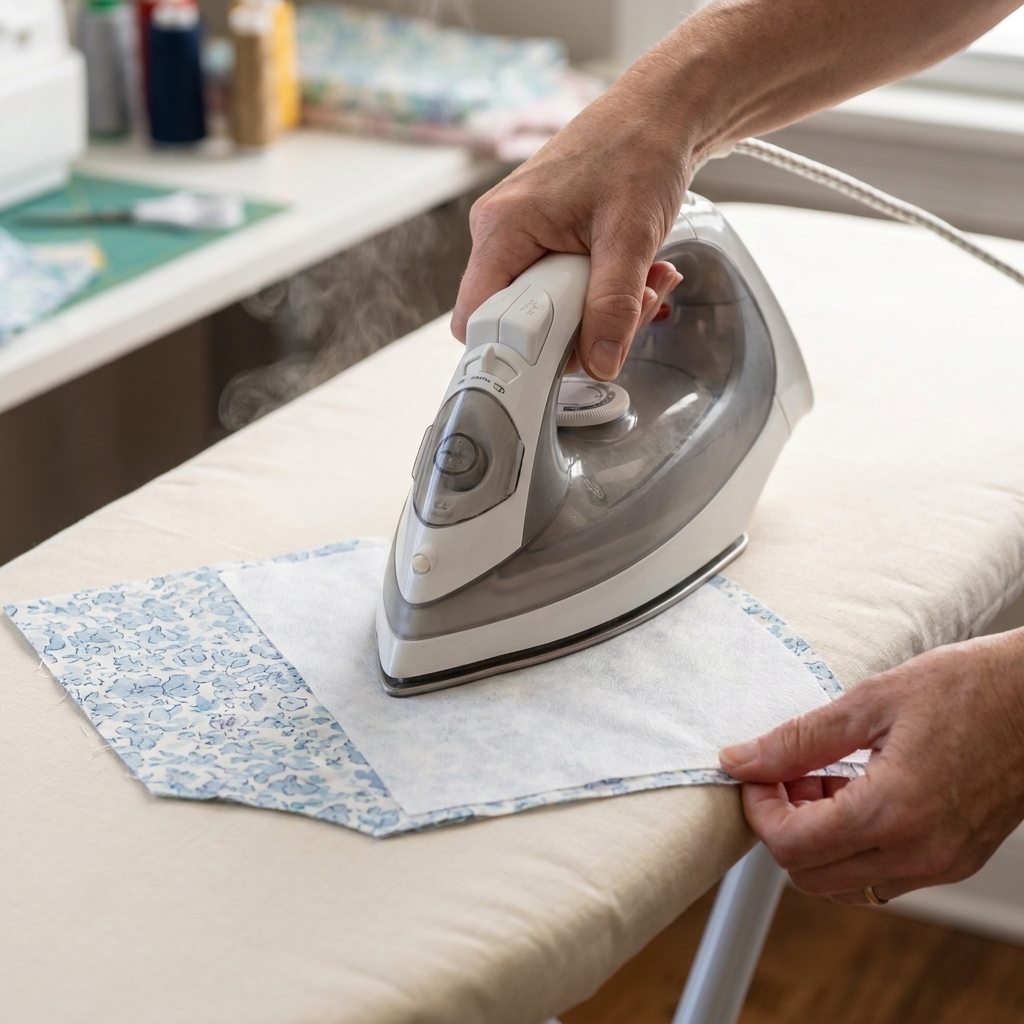
Interfacing is a support layer you add to fabric to make it feel more stable. “Fusible” interfacing has tiny heat-activated glue dots on one side, so you can bond it to your fabric with an iron.
It is especially helpful for beginners because it:
- Makes tricky areas easier to sew. Facings and button bands behave better when they are reinforced.
- Improves the final look. Collars, cuffs, and bag handles look crisp instead of wavy.
- Adds structure without adding bulk when you choose the right weight.
Think of it like giving your fabric a supportive little underlayer so it can do its job.
Where it is used
You will commonly see fusible interfacing in:
- Collars and collar stands (keeps points sharp)
- Facings (helps them lie flat)
- Button plackets and buttonholes (prevents stretching and tunneling)
- Waistbands (adds stability so they do not roll)
- Bags and pouches (adds body so corners look clean)
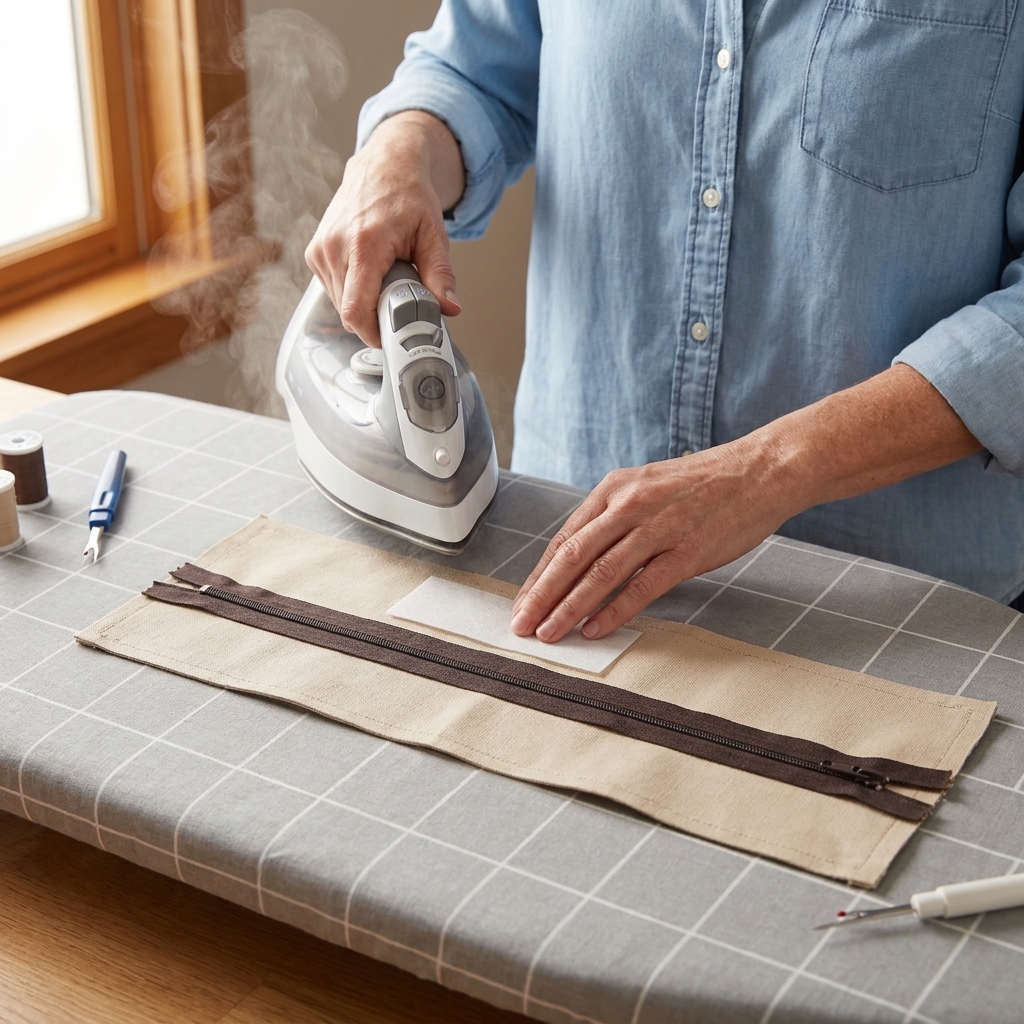
- Zipper areas (reinforces lightweight fabric)
If a pattern says “interface” a piece, it is usually because that area needs to resist stretching or hold a clean shape.
Types of fusible interfacing
Woven vs non-woven vs knit
These words tell you how the interfacing itself is made, which affects how it behaves.
- Woven fusible interfacing: Looks and acts a lot like fabric with a grainline. Great for woven fabrics when you want natural drape and a stable result.
- Non-woven fusible interfacing: Feels papery and has no real grain. It can be convenient for quick projects, but it can also feel stiff or crinkly in garments if you choose the wrong weight.
- Knit fusible interfacing: Has stretch. Use it with knit fabrics so your garment can still move.
Lightweight, medium, and heavy
This is the part most people struggle with at the store. Here is a friendly rule: start by matching the interfacing weight to your fabric weight.
It is a starting point, not a law. Some areas (hello, buttonholes) may need an extra bit of firmness even on drapey fabric.
- Lightweight: Quilting cotton, lightweight linen, rayon challis (great for facings and collars that should still drape)
- Medium: Shirt-weight fabrics, midweight linen, light denim (great for plackets and waistbands)
- Heavy: Totes, structured bags, home decor (often better to pair with a sew-in stabilizer too, depending on the project)
If you fuse heavy interfacing to a light fabric, it can look board-stiff and may ripple. If you fuse lightweight interfacing to a heavy canvas bag, you will wonder if it did anything at all.
How to choose the right one
Here is my beginner-tested method. It takes two minutes and saves you from buying the wrong stuff.
1) Do the hand-feel test
Pick up your fabric in one hand and the interfacing in the other. Ask:
- Do they feel like they belong in the same project?
- Would this make the fabric just a bit firmer, or would it turn it into cardboard?
2) Think about the goal
Patterns usually call for “lightweight fusible” or “medium fusible,” but your fabric choice matters. If your fabric is unusually soft or loosely woven, you may want one step firmer than the pattern suggests, especially for buttonholes and zipper areas.
3) Test before you commit
Interfacing is one of those supplies where a small test sample is worth more than ten opinions online, including mine. Different brands fuse differently, and your iron behaves differently than mine.
One more helpful detail: if you are using woven interfacing, treat it like fabric. Align the interfacing grain with your fabric grain so the piece behaves the way you expect.
Prep before you fuse
Prewash fabric first
If your fabric will ever be washed, prewash it before adding interfacing. Fabric can shrink. Interfacing can also shrink or distort, but it often does so differently than fabric. That mismatch is a common cause of bubbling after the first wash.
Skip laundering fusible interfacing. It can distort, fray, or lose adhesive depending on the product. If you want to reduce surprises, you can “preshrink” some interfacings by gently hovering steam over it or giving it a light press without sliding, then letting it dry flat. Only do this if your product can handle steam. When in doubt, follow the manufacturer’s instructions.
Press the fabric first
Wrinkles and creases get permanently set when you fuse. Give your fabric a quick press so you are starting with a flat surface.
Cut slightly smaller when it helps
For pieces that will be enclosed in seams (like facings, collars, waistbands), I often cut the interfacing about 1/8 inch (3 mm) inside the seam allowance. This reduces bulk and helps avoid glue sneaking into your seam and gumming up your needle.
Patterns sometimes tell you to interface the full piece. That can be fine. This is just a beginner-friendly trick when you are fighting bulky edges.
Watch for tricky fabrics
Pile fabrics (like velvet and corduroy), very lofty textures, and nubby weaves can be harder to fuse neatly. Sometimes a sew-in interfacing is the calmer choice, especially if the texture gets crushed by heat.
How to apply it
This is the method I use at my own sewing table.
Step 1: Find the glue side
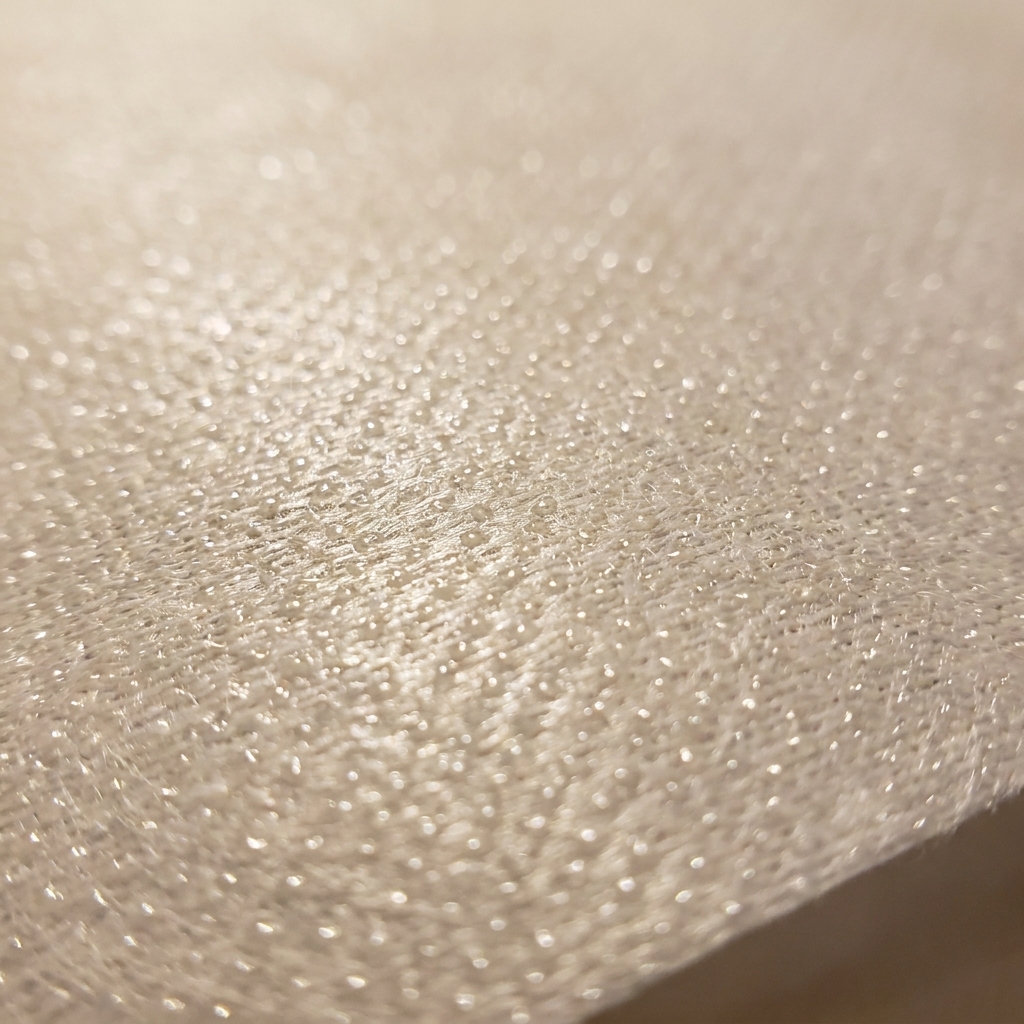
The glue side is usually slightly shiny and may feel a tiny bit bumpy from the adhesive dots. If you are unsure, hold it at an angle under a light.
Glue side goes to the wrong side of your fabric.
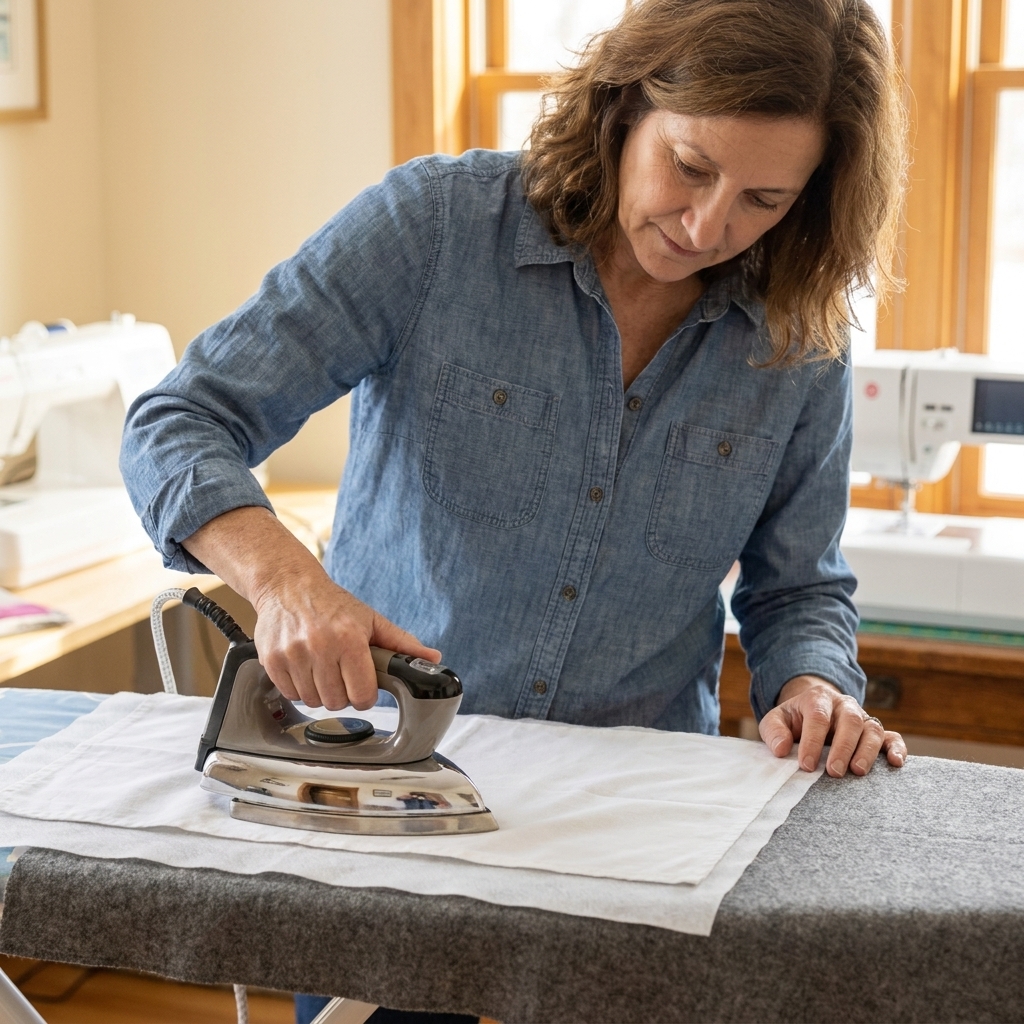
Step 2: Set up your pressing station
- Ironing board or a firm pressing surface
- Iron set to the temperature recommended on your interfacing (start medium if you are unsure)
- Press cloth (a scrap of cotton works beautifully)
Optional but sanity-saving: If you are worried about glue sneaking past the edges, slide a piece of parchment paper or a non-stick pressing sheet under your work to protect your ironing board cover.
Step 3: Place and anchor
Lay your fabric wrong side up. Place interfacing glue side down. Smooth it gently with your hand.
If your pieces shift easily, do a quick “tack” press: press one corner for 2 to 3 seconds to hold everything in place before you fuse the rest.
Step 4: Press, do not iron
This is the big beginner mistake. Do not slide the iron around like you are smoothing a wrinkled shirt. That motion can stretch fabric and drag the interfacing out of position.
Instead:
- Place the iron down.
- Hold for 10 to 15 seconds (or whatever your interfacing package recommends).
- Lift straight up.
- Move to the next area, slightly overlapping.
Step 5: Let it cool completely
The glue sets as it cools. If you peel it up or bend it while it is warm, you can weaken the bond and invite bubbling later.
Heat and steam
Different fusible interfacings have different rules, so the package directions win. If you do not have directions, these starting points are reliable:
- Start at a medium heat (often the “wool” setting) and test on scraps.
- Use dry heat or steam based on the product. Many fusibles bond best with dry heat, but some brands recommend steam or a damp press cloth for stronger adhesion.
- Use a press cloth to protect your iron and prevent shiny marks on delicate fabric.
If you are fusing to something heat-sensitive (like some synthetics), test on a scrap first. If the fabric gets shiny, ripples, or melts, lower the heat and increase press time slightly.
How to test on scraps
Before you commit to the real pattern pieces, make a little sample:
- Cut a 4 inch square of your fabric and interfacing.
- Fuse using the pressing method above.
- Let it cool.
- Bend it, wrinkle it gently, and see how it behaves.
- If your project will be washable, wash and dry the sample once.
Look for bubbling, rippling, or a stiff “paper” feel. Testing is not fussy. It is you being smart.
Common problems
Bubbles or blisters
Why it happens: Not enough heat or press time, fabric or interfacing shrinking differently after fusing, or the interfacing shifted while you were moving the iron.
Try this:
- Lay it flat again with a press cloth.
- Press and hold longer, using firm pressure.
- Let it cool fully on a flat surface.
If it still bubbles, it is often a shrinkage mismatch. Next time, prewash the fabric, and consider preshrinking the interfacing with a hover-steam or light press if your product allows it.
It will not stick
Why it happens: Iron too cool, pressing too briefly, or using the wrong moisture level for that product.
Try this: Increase heat one step, press longer, and double-check you are fusing the glue side to the wrong side of the fabric.
Glue on the iron
Why it happens: Interfacing was placed glue-side up, or your interfacing extended past the fabric edge.
Try this:
- Let the iron cool, then clean the soleplate with an iron cleaner made for your iron. Avoid abrasive scrubbers that can scratch the surface.
- Next time, use a press cloth and trim interfacing inside the seam allowance. Parchment paper or a non-stick pressing sheet under your work also helps.
If you accidentally fused interfacing to your ironing board cover, welcome to the club. A press cloth prevents this heartbreak.
Wavy edges or rippling
Why it happens: Fabric stretched during fusing, especially on bias-cut pieces or lightweight fabric.
Try this: Use a lighter interfacing, stop sliding the iron, and support the piece fully flat while pressing.
It feels too stiff
Why it happens: Interfacing weight is too heavy for the fabric, or the area did not need that much structure.
Try this: Switch to a lighter weight or a woven fusible for a softer result. For garments, “crisp” is usually the goal, not “armor.”
Tips for common projects
Collars
- Interface the collar pieces your pattern recommends (often the upper collar only).
- Trim interfacing out of seam allowance to reduce bulky collar points.
- After turning, use a press cloth and take your time pressing the edge. A crisp press makes a collar look instantly more professional.
Facings
- Interface the facing, not the garment body, unless the pattern says otherwise.
- Understitching plus interfacing is the magic combo for keeping facings inside.
Bags
- Use interfacing to stabilize the outer fabric and add body, especially around zipper panels and handles.
- If you want a very structured bag, fusible interfacing alone might not be enough. Many bag patterns combine fusible interfacing with foam or a sew-in stabilizer for extra firmness.
Fusible vs sew-in
Fusible interfacing is quick and tidy, but it is not the only option.
- Choose fusible interfacing when: you want speed, clean shaping, and you are working with fabrics that handle heat well.
- Choose sew-in interfacing when: your fabric is heat-sensitive, heavily textured, lofty, or when you want a softer, more traditional feel in tailored garments.
If you are making your first few projects, fusible is a great place to start. You can always branch out later.
Simple shopping list
If you want a tiny, beginner-friendly stash without overthinking it, these three cover most everyday projects:
- Lightweight woven fusible for facings and collars
- Medium-weight woven or non-woven fusible for waistbands and button plackets
- Knit fusible for knit neckbands and knit garments that need stabilization
Add a press cloth to that list if you do not already have one. It is the cheapest “upgrade” you can buy.
Quick FAQ
Do I need interfacing if my fabric is already stiff?
Sometimes no. But even sturdy fabric can benefit from interfacing in high-stress areas like buttonholes and zipper openings. It is less about stiffness and more about stability and wear.
Can I fuse interfacing after I cut out my pattern pieces?
Yes, and that is how most patterns are written. Just be sure to keep the piece flat and avoid stretching. For very shifty fabric, some sewists fuse first and cut second, but beginners usually find it easier to cut first.
Why does my interfacing peel at the edges?
Usually it did not get enough heat or press time at the edges, or it was handled while still warm. Re-press with a press cloth and let it cool flat.
Can I sew through fusible interfacing?
Absolutely. If you notice skipped stitches or gunk on the needle, your glue may have gotten into the seam allowance. Next time, trim interfacing slightly smaller or switch to a lighter product.
Final pep talk
Fusible interfacing feels fussy the first time you use it because pressing suddenly matters a lot. But once you get the hang of “press, hold, cool,” it becomes second nature. And the payoff is huge. Your projects will look cleaner, last longer, and feel more intentional.
If you try it and something goes sideways, save a scrap of what happened and troubleshoot it like a detective. Not a failure. Just data for the next round at the machine.